
Investment research tools give you access to structured data and help you process it. But, they can’t promise you’ll make money. How well you use the information they provide is what matters.
Things like budget, data coverage, and how easy it is to use are important.
This guide looks at prices, features, and what tools can really do. It covers different areas for analysis. We judge tools based on what they can actually do, not just what they promise.
How well a tool works depends on if it fits what you need. The next parts will show you what tools can do without assuming they’re the best for everyone.
Disclaimer: The content on this website is provided for informational and educational purposes only and does not constitute financial, investment, or legal advice.
All information is presented without warranty as to accuracy or completeness.
Readers should conduct their own research and consult qualified professionals before making financial decisions.
The publisher is not responsible for any actions taken based on the information provided.
Understanding Stock Market Analysis Tools and Their Importance
Manual methods can’t handle large amounts of data. These tools gather financial info from various sources and organize it for easy comparison.
There are different types of market data analytics platforms. They focus on different kinds of data and how to use it for making decisions. Each one has its own way of doing things.
What Stock Market Analysis Tools Actually Process
Equity analysis platforms turn raw data into something useful. They look at things like stock prices, trading volumes, and financial reports.
These tools sort this information into different ways to analyze it. Technical analysis tools look at price and volume patterns. Fundamental analysis platforms focus on financial statements and earnings.
Stock screening systems help find stocks based on certain criteria. Portfolio tracking applications show how well a group of stocks is doing.
For example, Simply Wall St looks at over 900 indicators for each stock. Danelfin analyzes more than 1,000 indicators every day for each stock.
Fidelity offers charts and data with expert opinions. This helps users make both short-term and long-term investment decisions.
| Platform Type | Primary Data Focus | Processing Volume | Output Format |
|---|---|---|---|
| Technical Analysis | Price patterns, volume trends | 600+ technical indicators daily | Charts, pattern recognition alerts |
| Fundamental Analysis | Financial statements, valuations | 150+ fundamental metrics daily | Ratio comparisons, financial health scores |
| Stock Screeners | Multi-criteria filtering | 900+ combined indicators | Ranked lists, custom filters |
| Portfolio Trackers | Aggregate holdings performance | Position-level calculations | Performance attribution, risk metrics |
Why Manual Analysis Cannot Scale Beyond Small Stock Universes
Manual analysis can’t handle the number of variables in stocks. Analyzing ten stocks with 900 indicators each is like looking at 9,000 data points. Adding 100 stocks makes it 90,000 data points.
This would take hundreds of hours a day to do by hand. But, software can do it in seconds. This means it can apply the same rules to thousands of stocks at once.
But, these platforms can’t predict the future. They work with past and current data, but the future is always uncertain. They can’t make sure predictions or fix unclear investment goals.
The main benefit is speed and consistency in using set rules. The software follows the rules set by the user. It doesn’t come up with new ideas or replace the need to decide which approach is best.
These tools are most useful when you know what you want to invest in. They help apply your standards to many stocks.
Categories of Stock Market Analysis Tools for Different Trading Needs
Market analysis software falls into four main groups. Most platforms now offer a mix of these functions. Each group meets specific needs, from spotting price trends to tracking portfolio performance. It’s hard to categorize them strictly because top platforms often blend different features.
The main categories have distinct roles. Technical analysis software works with price and volume data. Fundamental analysis programs look at company finances and value. Stock screening platforms help filter stocks based on certain criteria. Portfolio tracking systems show how well a collection of investments is doing.
Technical Analysis Software
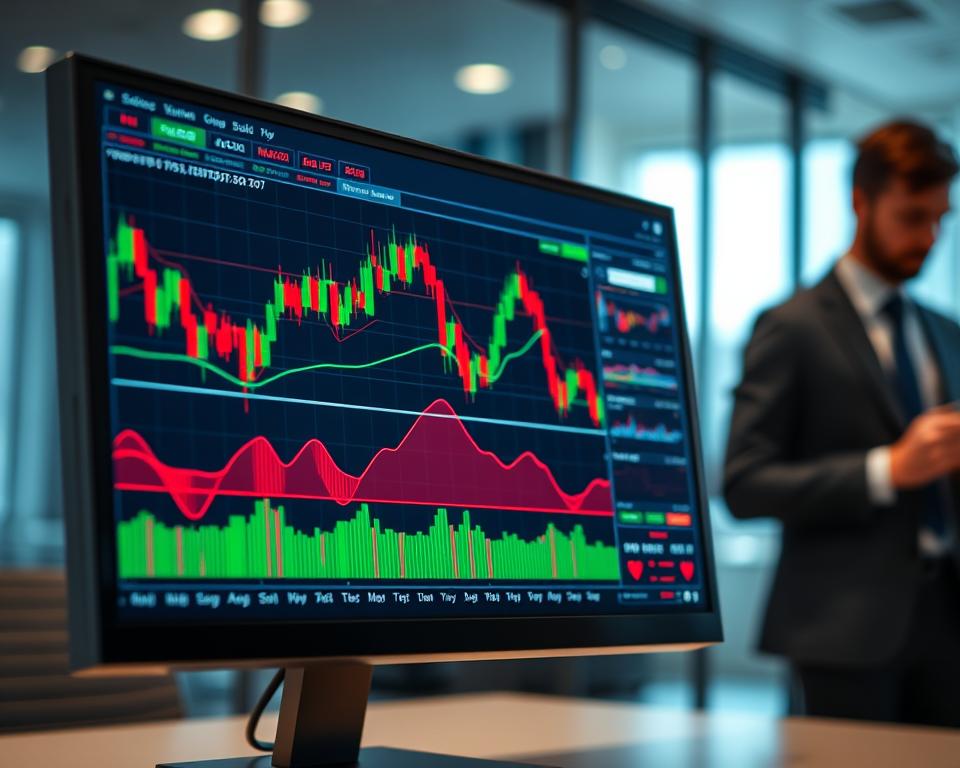
Technical analysis software turns past trading data into charts and numbers. It uses tools like moving averages and the relative strength index (RSI) to find good times to buy or sell. You can see trends from a minute to years.
It can spot patterns like head-and-shoulders and double tops. Users can customize indicators and save charts for later use. TradingView is a great example, with customizable technical indicators and charts for stocks, forex, and crypto.
Tools like trendlines and Fibonacci retracements are common. Alert systems notify when prices hit certain levels. This software helps decide when to trade, not what to trade.
Fundamental Analysis Programs
Fundamental analysis programs organize financial data in a way that’s easy to compare. They look at things like price-to-earnings ratios and revenue growth. They also check balance sheet health.
These tools focus on a company’s true value, not just its price. They include earnings forecasts and qualitative research. This is different from technical analysis, which looks at price trends.
The depth of data varies by platform. Some offer five years of financials, while others have ten years. Premium subscriptions often give access to more detailed data. Stock Analysis is an example, with a $6.58 monthly fee for a year’s subscription.
Stock Screening Platforms
Stock screening platforms let you filter through thousands of stocks at once. You can set criteria like market cap, dividend yield, and technical indicators. Some platforms offer over 125 criteria.
These tools have preset filters for strategies like value investing and momentum trading. Finviz lets you save custom screens. Yahoo Finance includes filters for mutual funds, ETFs, and futures, even for ESG-focused portfolios.
Results are shown in tables that can be sorted easily. You can export data to spreadsheets. Some platforms limit these features to paid accounts, so free users can only do one-time queries.
Portfolio Tracking Systems
Portfolio tracking systems track how well all your investments are doing. They consider purchases, sales, dividends, and fees. They show both realized and unrealized gains.
These systems support multiple currencies and let you import transactions from brokerages. Simply Wall St tracks 120,000 global stocks with a unique snowflake analysis.
They show risk metrics like standard deviation and beta. They also display asset allocation charts. These systems help see if your portfolio matches your risk and return goals.
| Category | Primary Function | Key Data Sources | Typical User Action |
|---|---|---|---|
| Technical Analysis Software | Identify price patterns and momentum signals | Historical price, volume, derivatives data | Time entry and exit points |
| Fundamental Analysis Programs | Evaluate financial health and intrinsic value | Income statements, balance sheets, cash flows | Determine fair value estimates |
| Stock Screening Platforms | Filter securities by multiple criteria | Real-time market data, financial ratios | Narrow investment universe |
| Portfolio Tracking Systems | Measure aggregate investment performance | Transaction records, current holdings | Assess returns and risk exposure |
Categories often blend together in real use. TradingView mixes technical charting with screening. Simply Wall St combines fundamental analysis, screening, and tracking in one place. Investors often need several tools because no single platform does everything perfectly.
Top Technical Analysis Software and Trading Chart Platforms
Technical analysis platforms are for traders who focus on chart patterns and price movements. The three options below offer different ways to analyze the market. They vary in price, data coverage, and how easy they are to use.
These platforms don’t give buy or sell advice. They help identify patterns and calculate indicators. Users must interpret these signals and decide on their own trading strategies.
TradingView
Overview
TradingView is a web-based platform that works on any device without needing to install software. It’s great for desktops, tablets, and mobile phones. You can access it from anywhere and keep your settings the same.
It covers stocks, forex, cryptocurrencies, and futures from around the world. Depending on your plan, you get real-time or delayed data.
Key Features
TradingView has over 100 built-in technical indicators for different market aspects. You can also create your own indicators using Pine Script, a special language for the platform.
Here are some key features:
- Multiple chart types: candlestick, bar, line, Renko, Kagi, and point-and-figure displays
- Drawing tools: trendlines, Fibonacci retracements, Elliott Wave patterns, and geometric shapes
- Social features: publishing chart analysis and following other users’ trading ideas
- Screening functions: built-in stock, forex, and cryptocurrency screeners with customizable filters
- Alert system: price-based and indicator-based notifications delivered through browser, email, or mobile app
The free version lets you use three indicators per chart, one device login, and one saved chart layout. Paid plans start at $14.95 to $59.95 per month and offer more features.
Pros and Cons
Advantages: TradingView is easy to use and has a clean interface. It’s great for both beginners and advanced traders. The social features let you see different trading ideas.
Limitations: It doesn’t have fundamental data like financial statements. The quality of community analysis can vary. Advanced users might find it takes more clicks to access data.
TC2000
Overview
TC2000 is desktop software for Windows and macOS with mobile apps for iOS and Android. It focuses on U.S. and Canadian equities only. Pricing starts at $9.99 per month for delayed data and goes up to $89.99 per month for real-time data.
The software includes brokerage features through TC2000 Brokerage. This lets you place orders directly without switching apps.
Key Features
TC2000 is known for its screening and scanning tools. It has over 200 pre-built scans for common patterns. Users can create custom scans without coding.
Key features include:
- Visual condition builder: creating custom scans without coding by selecting criteria from dropdown menus
- Automated pattern recognition: identifying head and shoulders, triangles, flags, and other chart formations
- WatchLists and sorting: organizing securities by technical or fundamental metrics with real-time updates
- EasyScan technology: scanning the entire U.S. market in seconds based on defined parameters
- Integrated brokerage: placing trades directly from charts with one-click order entry
It includes basic fundamental data like P/E ratios, earnings dates, and dividend information. Chart drawing tools automatically detect trendlines and identify support and resistance levels.
Pros and Cons
Advantages: TC2000’s screening system is fast, scanning the entire market in seconds. Its visual condition builder is easy to use. Direct brokerage integration makes trading seamless.
Limitations: It only covers U.S. and Canadian equities. The desktop software needs installation and updates. It focuses more on technical analysis than fundamental analysis.
MetaStock
Overview
MetaStock is desktop software for Windows, developed for over 30 years. Pricing starts at $69 per month for basic features. More advanced packages cost several hundred dollars monthly.
It offers extensive historical data sets for backtesting and pattern analysis. MetaStock covers stocks, options, futures, and forex globally.
Key Features
MetaStock includes proprietary indicators and analysis systems. It supports Elliott Wave analysis, Gann studies, and Japanese candlestick pattern recognition. You can also add custom indicators and expert advisors for automated trading signals.
Key features include:
- System testing: backtesting trading strategies against historical data with detailed performance metrics
- Expert advisors: automated signal generation based on predefined technical criteria
- Power Console: scanning multiple timeframes and securities simultaneously for pattern emergence
- Custom indicators: building proprietary stock performance indicators using MetaStock’s formula language
- Real-time alerts: notifications when securities meet specified technical conditions
The software’s interface is functional but not the most modern. It uses menus and windows for navigation, not dashboards.
Pros and Cons
Advantages: MetaStock offers deep historical data for backtesting. Its proprietary indicators and methodologies provide unique analysis tools. The system testing module helps evaluate trading strategies before use.
Limitations: Higher costs make MetaStock suitable for active traders. Its interface requires a learning curve. Some advanced features require extra purchases.
| Platform | Starting Price | Platform Type | Market Coverage | Primary Strength |
|---|---|---|---|---|
| TradingView | Free (limited) / $14.95/month | Web-based | Global multi-asset | User-friendly interface with social features |
| TC2000 | $9.99/month (delayed data) | Desktop + Mobile | U.S. and Canadian equities only | Advanced screening and integrated brokerage |
| MetaStock | $69/month | Desktop (Windows) | Global multi-asset | Historical data depth and system testing |
None of these platforms consider individual risk tolerance or investment goals when generating signals. Users must decide on their own how to use these signals based on their specific situation.
Leading Fundamental Analysis and Investment Research Tools
Investment research tools focus on company financials and intrinsic value. They look at balance sheets and cash flow statements. Users also consider management quality and industry dynamics.
These tools examine long-term business viability, not short-term price movements. The three platforms detailed below offer different price points and analytical depth. Each requires users to interpret data within their own investment framework.

Morningstar Premium
Overview
Morningstar Premium costs about $34.95 a month or $249 a year. It specializes in mutual fund and stock research. You need to create an account to use its tools.
The service gives star ratings from one to five based on fair value estimates. These ratings compare the current market price to intrinsic value. The methodology is detailed but not always easy to find.
Key Features
The platform offers over ten years of financial statements. It includes revenue breakdowns, margin analysis, and cash flow statements. These are organized by activity type.
Analyst reports look at competitive positioning and management quality. Morningstar’s economic moat framework evaluates sustainable competitive advantages. It considers intangible assets, switching costs, and more.
X-ray portfolio analysis aggregates holdings across accounts. It shows sector exposure and geographic allocation. Users can identify concentration risks and duplications in their portfolios.
“The economic moat concept helps investors identify companies with durable competitive advantages that can sustain above-average returns over extended periods.”
Pros and Cons
Advantages: The platform offers extensive historical data and standardized valuation frameworks. Star ratings provide quick reference points for screening stocks. The economic moat analysis addresses qualitative factors.
Limitations: Valuation models assume specific discount rates and growth projections. The star rating system may oversimplify complex investment decisions. Premium subscription features overlap with free tools available elsewhere.
Bloomberg Terminal
Overview
Bloomberg Terminal costs over $20,000 annually. It’s used by financial institutions and professional money managers. The expense is high for individual investors unless they have significant trading activity or assets.
The Terminal provides real-time data across global markets. It covers more than 350 exchanges in over 190 countries. Data updates continuously during market hours.
Key Features
Proprietary functions enable portfolio analytics and risk modeling. Users can run stress tests and scenario testing. The platform calculates value-at-risk and correlation matrices.
News aggregation combines Bloomberg’s journalism with third-party sources. It flags market-moving events and provides context. Users can search news by company or sector.
The Terminal includes functions for fixed income analysis and derivatives pricing. Each function uses Bloomberg’s command syntax. Experienced users navigate it quickly, but newcomers find it opaque.
Pros and Cons
Advantages: The Terminal offers unmatched depth and breadth of market data analytics. It supports institutional-level decision-making. Integrated messaging connects users to industry contacts.
Limitations: Cost prohibits adoption by individual investors and small advisory firms. The interface assumes familiarity with financial markets. The learning curve is steep.
Seeking Alpha Premium
Overview
Seeking Alpha Premium costs $29.99 monthly or $239 yearly. It aggregates content from thousands of contributors. Articles cover stocks, sectors, and macroeconomic themes.
The service provides no editorial verification of contributor claims. Users must assess source credibility and analytical quality. Premium features include early access to articles and real-time stock alerts.
Key Features
Contributor diversity exposes users to multiple perspectives on the same security. Some authors focus on technical factors, others on valuation. This range allows users to compare different analytical approaches.
Quant ratings provide algorithmically generated scores for valuation and growth. The platform applies these standardized metrics across all covered stocks. Specific algorithms remain undocumented in public materials.
Basic financial data and price charts accompany written analysis. The platform relies on qualitative research. Users access historical articles to track how contributor views evolved over time.
Pros and Cons
Advantages: The platform offers diverse viewpoints at a relatively low price point. Premium subscribers receive alerts when new analysis covers stocks in their watchlists. The comment sections allow users to challenge assumptions and request clarification directly from authors.
Limitations: Quality varies significantly between contributors with no verification system. Some articles promote positions without adequate disclosure of conflicts or holdings. The platform’s reliance on written analysis makes it less suitable for users seeking systematic screening tools or raw data exports.
Key Factors to Consider When Choosing Your Analysis Platform
Choosing the right platform means matching tool capabilities to your needs. Four key criteria help decide if a platform is right for you. These criteria help narrow down options before you try them out.
Each criterion has trade-offs based on your account size, how often you trade, and your analytical skills. By considering these factors, you can avoid wasting time and money on tools that don’t meet your needs.
Your Trading Style and Investment Strategy
How often you trade affects the data you need. Active traders need real-time data and fast screening. Tools like TC2000 or TradingView offer these features.
Long-term investors focus on fundamental data and valuation. Platforms like Morningstar Premium and Seeking Alpha provide this information. They update data less frequently than real-time tools.
Day traders need fast execution, which most analysis platforms can’t provide. Choosing the right online trading platform for execution is a separate decision.
Fidelity’s platform requires an account for advanced features. This works for those who use one platform for both brokerage and analysis. But, it can be a barrier for comparing different brokers.
Budget and Pricing Models
Monthly costs can quickly rule out options based on your account size. Free tools like Finviz and Yahoo Finance are good for basic research. They limit data access but are free to use.
Paid platforms range from $10 per month to $20,000+ annually. Stock Analysis Pro costs $6.58 per month annually. StockFetcher offers over 125 indicators at a similar price.
Annual costs are more meaningful when compared to your portfolio size. Spending $600 yearly is 6% of a $10,000 portfolio. But, it’s only 0.06% of a $1 million portfolio, making it a small expense.
| Pricing Tier | Annual Cost | Minimum Portfolio Size | Cost as % of Portfolio |
|---|---|---|---|
| Free Tools | $0 | Any amount | 0% |
| Entry Platforms | $80-$150 | $10,000+ | 0.8-1.5% |
| Mid-Tier Software | $300-$800 | $50,000+ | 0.6-1.6% |
| Professional Systems | $2,000-$25,000 | $500,000+ | 0.4-5.0% |
Investing.com offers pre-made screens like “Under $10/share” and “Technical Titans.” These filters are available without a subscription but have limitations.
Data Quality and Market Coverage
Some platforms offer data 15 to 20 minutes behind real-time. This delay is okay for long-term analysis but not for quick decisions. Real-time data usually requires a premium subscription.
Platforms vary in their coverage of global markets. Most focus on U.S. exchanges. For international coverage, you may need a premium tier or a specialized platform. Simply Wall St covers 120,000 global stocks and calculates real returns.
Data accuracy depends on the source, not the platform. Discrepancies can occur, so it’s important to cross-check data. This helps avoid making decisions based on incorrect information.
Market depth data is a key differentiator between basic and professional platforms. Features like Level II quotes and institutional flow data are often only available in higher-priced subscriptions.
User Interface and Learning Curve
Platforms like TradingView and Stock Analysis have clean, easy-to-use interfaces. They organize tools in a way that makes them easy to find. This saves time and reduces frustration.
Platforms like MetaStock focus more on functionality than design. They have a steeper learning curve but offer more customization options. Power users find these platforms more efficient in the long run.
StockFetcher’s 125+ indicators offer a lot of filtering power. But, they can be overwhelming for beginners. Platforms with guides and example filters help users get started more easily.
Most platforms offer 7-to-30-day trials. This allows you to see how well they fit into your workflow before committing financially.
Conclusion
Stock market analysis tools are worth the cost when you’re building or rebalancing your portfolio. But, their value drops when you’re just holding onto your investments for a long time. Users of Simply Wall St say it saves a lot of time at the start, but one person stopped using it after they finished building their portfolio.
Performance figures often don’t show the full picture because they don’t include real-world costs. For example, Danelfin’s AI strategy made +376% from 2017 to 2025, beating the S&P 500 by +209%. But, these numbers don’t account for subscription fees, trading costs, taxes, and other biases.
Equity analysis platforms give you signals, but you need to decide how to act on them. You have to figure out how much to invest, when to buy, and when to sell. These decisions can greatly impact your returns, even if the signals are good.